Beauty Retouching for Beginners
Professional Retouching Workflow From Raw File to Finished Export.
Beginner Level · 4+ hrs
This is a hands-on, practical training for photographers and retouchers interested in learning professional beauty retouching at the industry-standard level (see the full course outline below).
Over 4 hours of video lessons will teach you the methods, techniques, and non-destructive workflow used by professional retouchers: from raw processing and cleanup, through skin and color work, to the finishing pass and export.
By the end of the course, you will have a repeatable workflow and portfolio-ready retouched images to show for it.
▶︎ Created by Julia Kuzmenko McKim and Michael Woloszynowicz, professional beauty and fashion photographers, retouchers, and educators. Every lesson distills decades of combined industry experience into the refined retouching methods we use in commercial work.
Who is this course for?
→ Photographers and retouchers in beauty, fashion, and portraits with basic retouching skills.
→ Photographers who want to offer post-production services along with their photography, rather than outsourcing it or settling for lower-quality results.
No beauty retouching experience is required.
Students learn the complete professional retouching workflow, taught in order of execution: raw processing, basic cleanup, Frequency Separation, Dodge & Burn, color corrections and grading, through to the finishing pass and export.
We teach a lean-PSD approach and a non-destructive workflow, so client revisions never mean redoing your work from scratch.
🌟 Check out our students' Testimonials.
Most photographers and retouchers begin learning retouching through scattered YouTube tutorials. The results are often hit-and-miss: one image looks clean, the next over-processed, and every new photo is a new set of problems to solve.
If you are interested in learning retouching for the purpose of offering it as a service to paid clients, especially in commercial work (brands, retouching studios, or creative agencies), where self-taught retouching skills don’t hold up, this course is for you.
Once internalized through deliberate practice, these skills open a range of career paths:
- offering industry-standard retouching services to paid clients along with photography;
- entry-level (junior, due to limited experience) in-house retouching roles;
- or remote freelance retouching work for brands, creative agencies, or retouching studios from anywhere in the world.
Packed with 11 self-paced assignments, 6 practice images shot by the authors, and downloadable custom actions and brushes you can continue using in your work after the course.
▶︎ This course is included in the All-in-One Beauty Retouch bundle: 4 courses, over 21 hours of video lessons, individual courses at $569, bundle price: $287.
📲 Continue learning anywhere via the Kajabi app on mobile devices.
By purchasing our products, you agree to our Terms & Conditions.
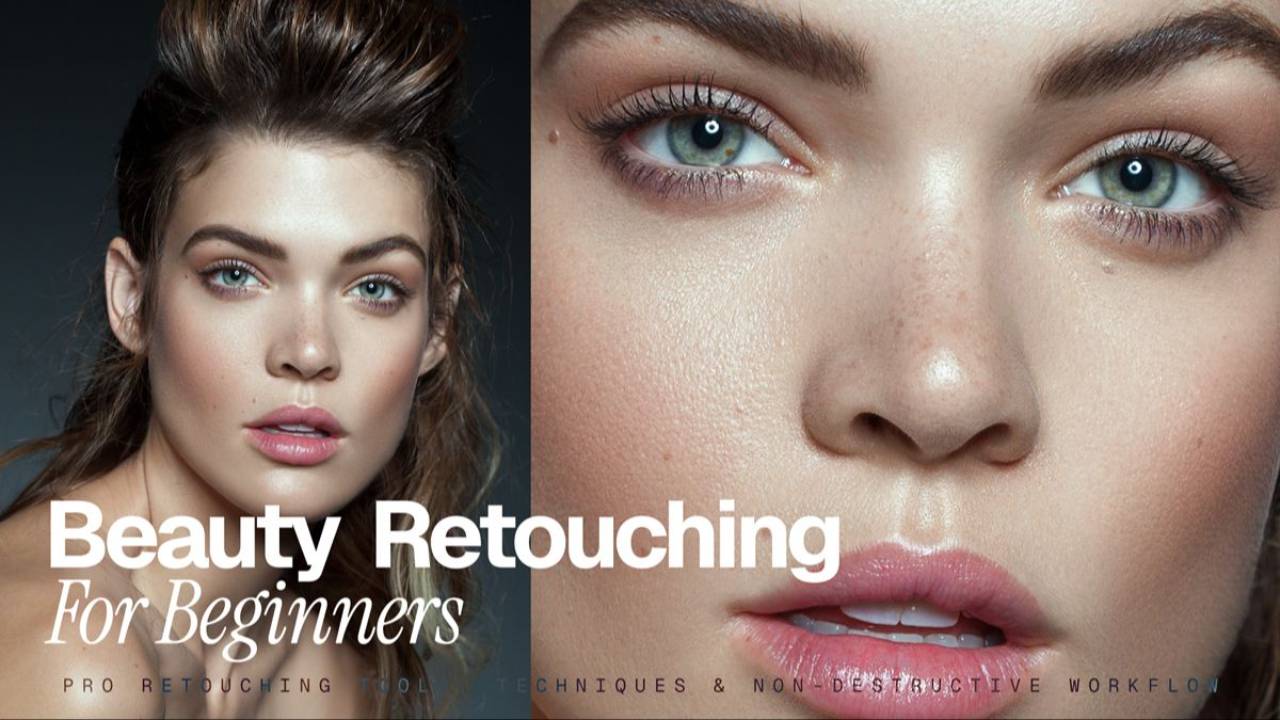
Beauty Retouching for Beginners
-
Introduction & Downloads
4 lessons- Welcome to the Course
- Additional Materials & Downloads
- [Download] ▶︎ Brand Work Guide & Vocabulary
- Legal Notice
-
Module 1: Processing Raw Files
8 lessons- Lesson 1.1 Introduction (1:40)
- Lesson 1.2 Adobe Lightroom: Develop Module Introduction (8:28)
- Lesson 1.3 Adobe Lightroom: Common Key Adjustments (4:00)
- Lesson 1.4 Capture One: Interface & Key Adjustments (2:21)
- Lesson 1.5 Exporting Files to Photoshop (4:08)
- Lesson 1.6 Image File Formats (Reading)
- Lesson 1.7 Image Resolution (Reading)
- Assignment #1: Processing Your Raw File
-
Module 2: Before Retouching Begins
12 lessons- Lesson 2.1.1 Photoshop Interface & Panels (4:01)
- Lesson 2.1.2 Keyboard Shortcuts (1:34)
- Lesson 2.1.3 Understanding Layers (5:04)
- Lesson 2.1.4 Understanding Layer Masks (4:31)
- Lesson 2.2.1 Cropping: When & How (5:32)
- Lesson 2.2.2 Smart Structure of Your PSD Files (2:42)
- Assignment #2: Setting up Your PS Workspace
-
Retouching With Graphics Tablets
- Lesson 2.3.1 Retouching with Graphics Tablets (Reading)
- Lesson 2.3.2 Graphics Tablet Models (Reference)
- Lesson 2.3.3 Setting Up Your Wacom Tablet - 2025 Update (Reading)
- Lesson 2.3.4 Choosing Your Stylus Nibs (Reference)
- Assignment #2.1: Setting up Your Graphics Tablet
-
Module 3: Retouching Basics
12 lessons-
Basic Cleanup
- Lesson 3.1.1 Spot Healing Brush (13:19)
- Lesson 3.1.2 Healing Brush (8:33)
- Lesson 3.1.3 Clone Stamp (6:26)
- Lesson 3.1.4 Grafting (4:34)
- Lesson 3.1.5 Checking Your Retouching Progress (Reading)
- Assignment #3.1: Basic Cleanup
-
Frequency Separation Technique (FS)
- Lesson 3.3.1 FS Technique Introduction (6:12)
- Lesson 3.3.2 FS Mechanics (8:26)
- Lesson 3.3.3 Lean PSD Approach After FS (3:38)
- Assignment #3.2: Frequency Separation
-
Finishing Up the Basic Cleanup (Retouch)
- Lesson 3.4 Finishing Up the Basic Cleanup Phase (9:29)
- Assignment #3.3: Finishing Up the Basic Cleanup
-
-
Module 4: Dodge & Burn Technique
6 lessons- Lesson 4.1 Dodge & Burn Technique (7:29)
- Lesson 4.2 Dodge & Burn Mechanics (16:18)
- Lesson 4.3 BONUS: Dodge & Burn Contouring on 50% Gray Layer (3:30)
- Assignment #4.1: Dodging & Burning - Sphere Exercise
- Lesson 4.4 Working Faster with D&B Actions or Beauty Retouch Panel (1:33)
- Assignment #4.2: Dodging & Burning
-
Module 5: Color Corrections
5 lessons- Lesson 5.0 Color Management At a Glance (Reading)
- Lesson 5.1.1 Using Basic Selections for Color Corrections (7:43)
- Lesson 5.1.2 Using Complex Selections for Color Corrections (5:41)
- Lesson 5.2 Color Corrections (12:17)
- Assignment #5: Local Selections & Color Corrections
-
Module 6: Color Grading
2 lessons- Lesson 6: Finishing Up with Color Grading (9:26)
- Assignment #6: Color Grading
-
Module 7: Finalize & Export
3 lessons- Lesson 7.1: Finalizing & Exporting Your Images (8:08)
- Lesson 7.2: Sharing Your Retouching Work Online
- Assignment #7: Exporting & Sharing Your Retouching Work Online
-
What's Next?
4 lessons- Code Of Professional Practice
- Further Professional Development & Tools
- ♥️ Please Share Your Thoughts!
- ▶︎ RA Affiliates earn 25-30% commission per sale
What you will find inside:

Theory & Practice
Over 4 hours of video lessons and hands-on assignments.
We’ve distilled the most impactful information so that you can learn and apply your new retouching skills as efficiently as possible.

Practice Files
Beauty images, shot by the authors.
Each module includes practice beauty and other images, bonus materials, and practice assignments to help you quickly internalize what you are learning.

Real-World Pro Approach
Our custom Actions & Brushes.
A professional workflow perfected through a decade of commercial work by Julia Kuzmenko McKim and Michael Woloszynowicz.
Here's what our students are saying:
Ethan
Freelance Retoucher
“I bought all the courses from Retouching Academy, and they never disappointed me! I learned so much and improved my retouching skills from these courses over the last 2 years, and now I have my own clients, and I also work with some well-known brands such as ELLE, Gucci, LV, L'Officiel, etc."
Valentina Duran
Freelance Retoucher
“Thanks to RA courses and RA panels, I was able to take my retouching skills to a new level and understand how to make it a business that prospers. I learned new approaches to the techniques that I already knew, and my workflow became much faster and leaner."
Margarita Ptitsyna
Freelance Retoucher, Avenue Studio
“Retouching Academy courses are really the best! They teach you the professional way of retouching: how to make your pictures look perfect, but still natural; how to speed up your workflow, and how to organize your PSD files so you will always be able to make any corrections at any stage of your retouching process."